

What the card is
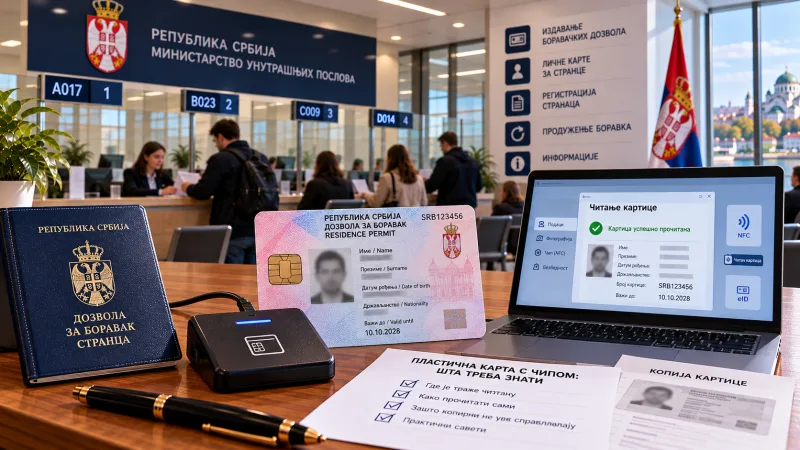
The foreigner's ID card is a plastic card with a chip, introduced in place of the sticker in the passport. It follows the design of local residents' cards and stores your data and status. The key difference from the paper sticker: the data is not merely printed but written to the chip, and can be read — but only with special software.
Where a read card is needed
When applying for residence — online or in person — a file from the card is often required rather than a photograph. In addition, the read card is requested when adding your residence number to a sole-trader business, when obtaining a criminal record certificate, and when arranging state insurance. The card data is also read at the bank: staff see the address written to the chip, so after an address change at the MUP it is precisely that data which becomes current.
How to read the card yourself
Two things are needed. First, a card reader, sold in electronics shops for around 2,000 dinars. Second, reading software: the official MUP website has a section with software for personal cards, where you select the 64-bit version. Important: the software runs only on Windows 10 or 11, there is no Mac version, so on a Mac you will need a virtual machine. Choose the full installation, insert the card chip-up into the reader and launch the program — it reads the data and displays it on screen. To keep the result, press the print-data button and save as PDF or print it. If an error about a missing system file appears on launch, install the Visual C++ libraries package and try again. No certificates or special drivers are needed merely to read the card.
Where to get help if you have no reader
You can go to a copy shop, but not every one will manage: they must have updated their reading software to the current version, otherwise the foreigner's card will not open. In Belgrade such points exist in the centre and around the registry institutions, and there is a verified one in Novi Sad too. The practice is simple: call before visiting and ask directly whether they read foreigners' cards and whether their software is up to date — that saves a wasted trip.
A bonus: the card as an electronic signature
The chip can be used not only for reading data: the card also works as an electronic signature, which opens access to state online services. That requires separate preparation — installing certificates and software — but if you plan to use government services regularly, it is worth mastering: some services can then be handled from home without an appointment at the MUP.
What to do step by step
Establish whether you need a read card right now: for filing documents, for your business, for a certificate or for insurance — yes, you do. Check whether a copy shop that can read foreigners' cards is nearby; if not, sort out a reader and the software. Read the card and save the result as a PDF — it is often needed as a file rather than a printout. After an address change, read the card again, because the chip data is updated. And do not delete the saved file: you will need it at every subsequent filing.
Data checked on 11 October 2026: requirements for a read card, the reading software and copy shop addresses follow current practice and community experience; the list of places and software versions change from time to time.