

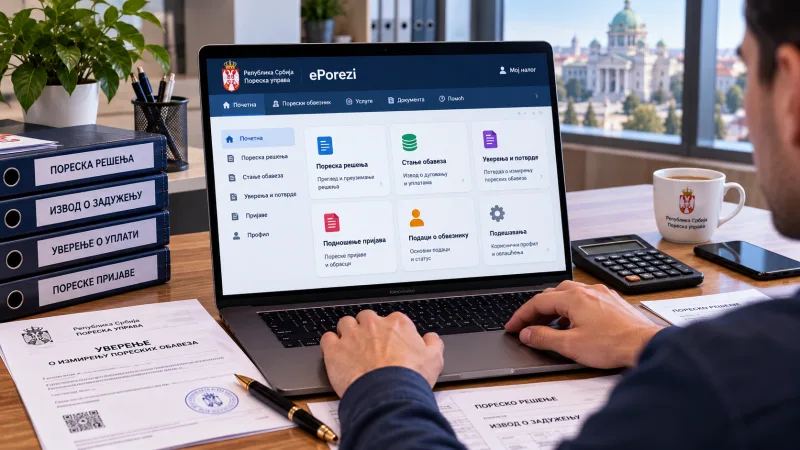
What it is and who can use it
ePorezi is Serbia's tax office personal account, the equivalent of a taxpayer account elsewhere. Here a business owner receives tax decisions, statements of arrears or overpayment, and certificates of taxes paid. Access is granted only to those who hold residence and one identity confirmation tool: an electronic signature, the ConsentID service, or a foreigner's ID card with an electronic signature written to it. Without residence the account is not opened, so this article is relevant to those who have already arranged their status.
If the business does not appear in the account
One of the most common problems: login works, but your business is not on the list. The cause is usually that the tax office has not yet linked your residence number to the business. The solution is to email the support address for foreigners, attaching an extract from the APR register: state your residence number and the business details. The email must be sent even if you opened the business with your residence number from the start — it is a separate procedure that the tax office does not perform automatically. The same service helps if a technical server error appears at login: write to the same address, attaching the extract.
Where to find decisions and statements
An important point where people get lost: tax decisions arrive in the personal messages under the business's account, not under the individual's personal account. For the same reason an arrears statement may look empty — you are simply looking under the wrong account. If the business is frozen or very recently opened, the statement will also be empty: there are no charges yet.
Which certificates are obtained here
Two kinds of certificate that people usually need are conveniently obtained from the account. First, confirmation of paid health insurance contributions: it is requested when arranging state insurance. Second, a certificate of taxes paid for an embassy: such documents are often required when applying for visas and permits in other countries. Both are generated in the account without a visit to the tax office. There is also a separate option to grant another person access to your tax account — an accountant, for example: they can see charges and payments without logging in under your credentials.
Why it matters for a business owner
The account solves three things: seeing what has been charged and when, checking whether a payment went through, and obtaining certificates. Without it, arrears are usually discovered at the worst moment — once they have accumulated and a fine looms. It is worth setting up access right after opening the business, not when the first debt appears.
What to do step by step
Make sure you have residence and a signing tool: an electronic signature, ConsentID or a card with a written signature. Log in and check whether the business appears. If not, email the support service for foreigners with the APR extract, stating your residence number. Review charges and set payment reminders. Grant access to an accountant if needed. And check the arrears periodically so they do not creep up unnoticed.
Data checked on 11 October 2026: access procedure, statements and certificates follow current tax office practice and community experience; the interface and requirements may change.